Web presentation of Open Office slides: Difference between revisions
Jump to navigation
Jump to search
Content deleted Content added
imported>Hendrik Brummermann No edit summary |
imported>Hendrik Brummermann No edit summary |
||
| (19 intermediate revisions by 2 users not shown) | |||
| Line 5: | Line 5: | ||
== Technology Requirements == |
== Technology Requirements == |
||
* Viewing talks with slides directly on the web |
* R1: Viewing talks with slides directly on the web |
||
* Not requiring visitors to have Open Office installed |
* R2: Not requiring visitors to have Open Office installed |
||
* Not requiring people to download the presentation |
* R3: Not requiring people to download the presentation |
||
* barrier-free, (e. g. text view of slide-images, transcript of audio) |
* R4: barrier-free, (e. g. text view of slide-images, display transcript of audio) |
||
* Support for all common browsers, including older browsers that are still in use |
* R5: Support for all common browsers, including older browsers that are still in common use |
||
* Support |
* R6: Support audio |
||
* R7: Audio is optional |
|||
* Support for small display screens (e. g. tablets, mobile phones) |
* R8: Support for small display screens (e. g. tablets, mobile phones) |
||
* Should work without flash plugin and without JavaScript but may use these technologies if available |
* R9: Should work without flash plugin and without JavaScript but may use these technologies if available |
||
== What is wrong with the standard html export in Open Office Impress ? == |
|||
* ok R1 |
|||
* ok R2 |
|||
* ok R3 |
|||
* fail R4: Requires Frame-Support in Browser. There is a html view that would work without frames, but it's not reachable from the start page. |
|||
* unknown R5 |
|||
* fail R6: For audio an embed-tag is created which only works if the files are saved to disk but not in the world wide web |
|||
* ok R7 |
|||
* fail R8: bulky frameset, slide images is not resized but gets scroll bars |
|||
* fail R9: requires JavaScript for navigation |
|||
<gallery> |
|||
File:Lynx-ooo-impress-export.png|"Your browser does not support frames." |
|||
File:Small-screen-ooo-impress.png|On a small screen, the slide image is not zoomed out, but scroll bars appear |
|||
File:Javascript-ooo-impress.png|JavaScript is used for navigation without alternative |
|||
</gallery> |
|||
== Approach == |
== Approach == |
||
Latest revision as of 07:03, 29 September 2011
Motivation
TODO: Describe why viewing talks directly in the browser is desirable
Technology Requirements
- R1: Viewing talks with slides directly on the web
- R2: Not requiring visitors to have Open Office installed
- R3: Not requiring people to download the presentation
- R4: barrier-free, (e. g. text view of slide-images, display transcript of audio)
- R5: Support for all common browsers, including older browsers that are still in common use
- R6: Support audio
- R7: Audio is optional
- R8: Support for small display screens (e. g. tablets, mobile phones)
- R9: Should work without flash plugin and without JavaScript but may use these technologies if available
What is wrong with the standard html export in Open Office Impress ?
- ok R1
- ok R2
- ok R3
- fail R4: Requires Frame-Support in Browser. There is a html view that would work without frames, but it's not reachable from the start page.
- unknown R5
- fail R6: For audio an embed-tag is created which only works if the files are saved to disk but not in the world wide web
- ok R7
- fail R8: bulky frameset, slide images is not resized but gets scroll bars
- fail R9: requires JavaScript for navigation
-
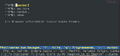 "Your browser does not support frames."
 -
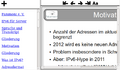 On a small screen, the slide image is not zoomed out, but scroll bars appear
 -
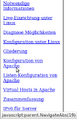 JavaScript is used for navigation without alternative


Approach
- Use OpenOffice HTML-Export as base
- with frames
- with notes (if there are notes)
- browser colors
- black arrow icons without borders
- Converting ogg-files to mp3 for Microsoft Internet Explorer
- http://code.google.com/p/ogg2mp3/
- ogginfo returns 1 on my recorded files which causes ogg2mpd to abort.
--- /usr/bin/ogg2mp3	2010-09-28 21:07:25.000000000 +0200
+++ ogg2mp3	2011-09-27 22:17:55.474323127 +0200
@@ -147,7 +147,7 @@

    # read ogginfo output
    OGGINFO=$( LANG=C ogginfo "$1" )
-   test "$?" != "0" && fail "ogginfo failed!" "$OGGINFO"
+   #test "$?" != "0" && fail "ogginfo failed!" "$OGGINFO"

    # determine nominal bitrate of source file
    BITRATE=$( echo "$OGGINFO" | grep "Nominal bitrate:" | cut -d' ' -f3 )